Home Features Demo Docs Open Source Wiki ⬇ Free Download

See the App

AnchorCast Demo

Real screenshots from AnchorCast running in a live church setting.

See It In Action

Live Demos from Real Services

Captured straight from AnchorCast running in a real service.

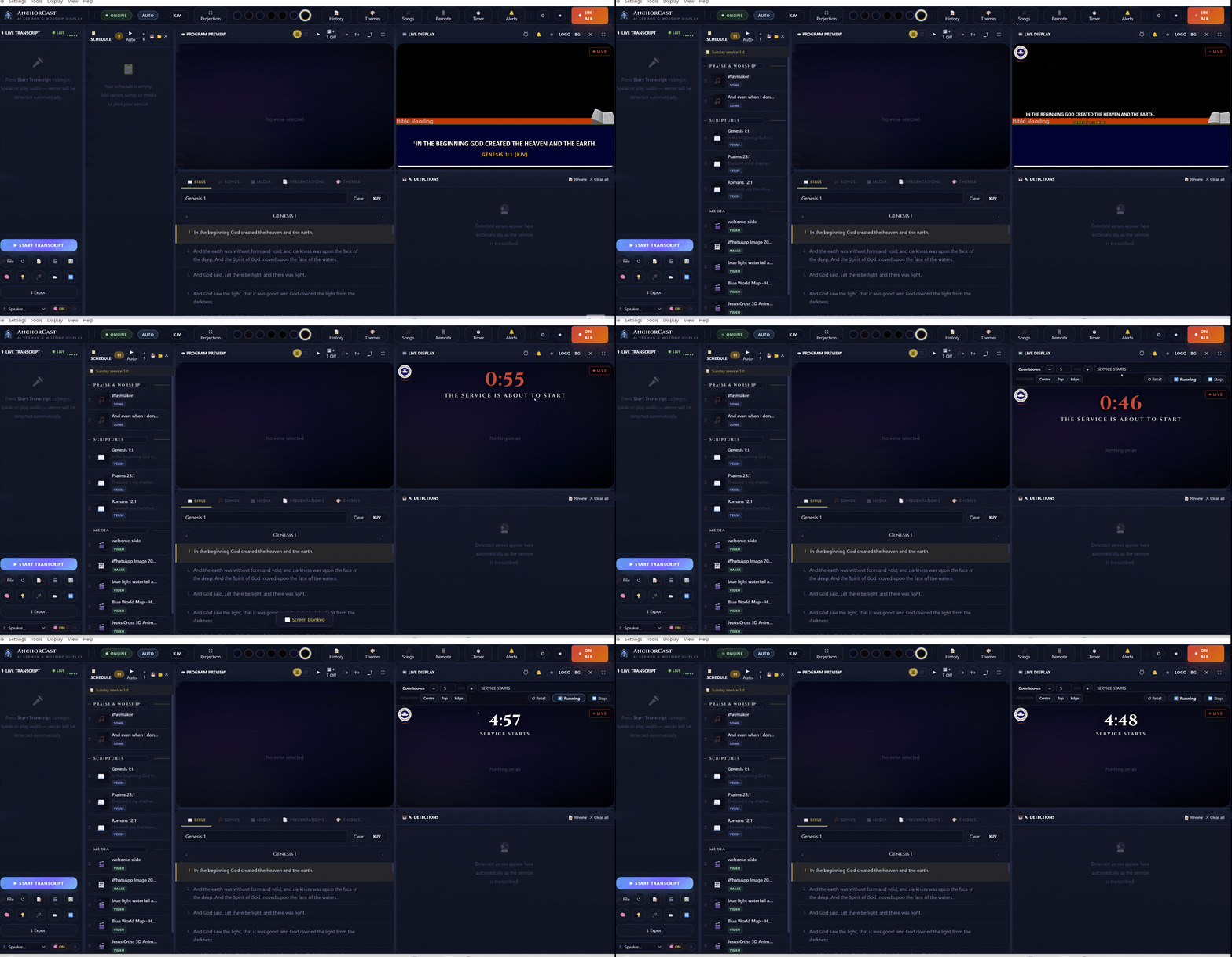
🔥 AI Scripture DetectionAI Powered
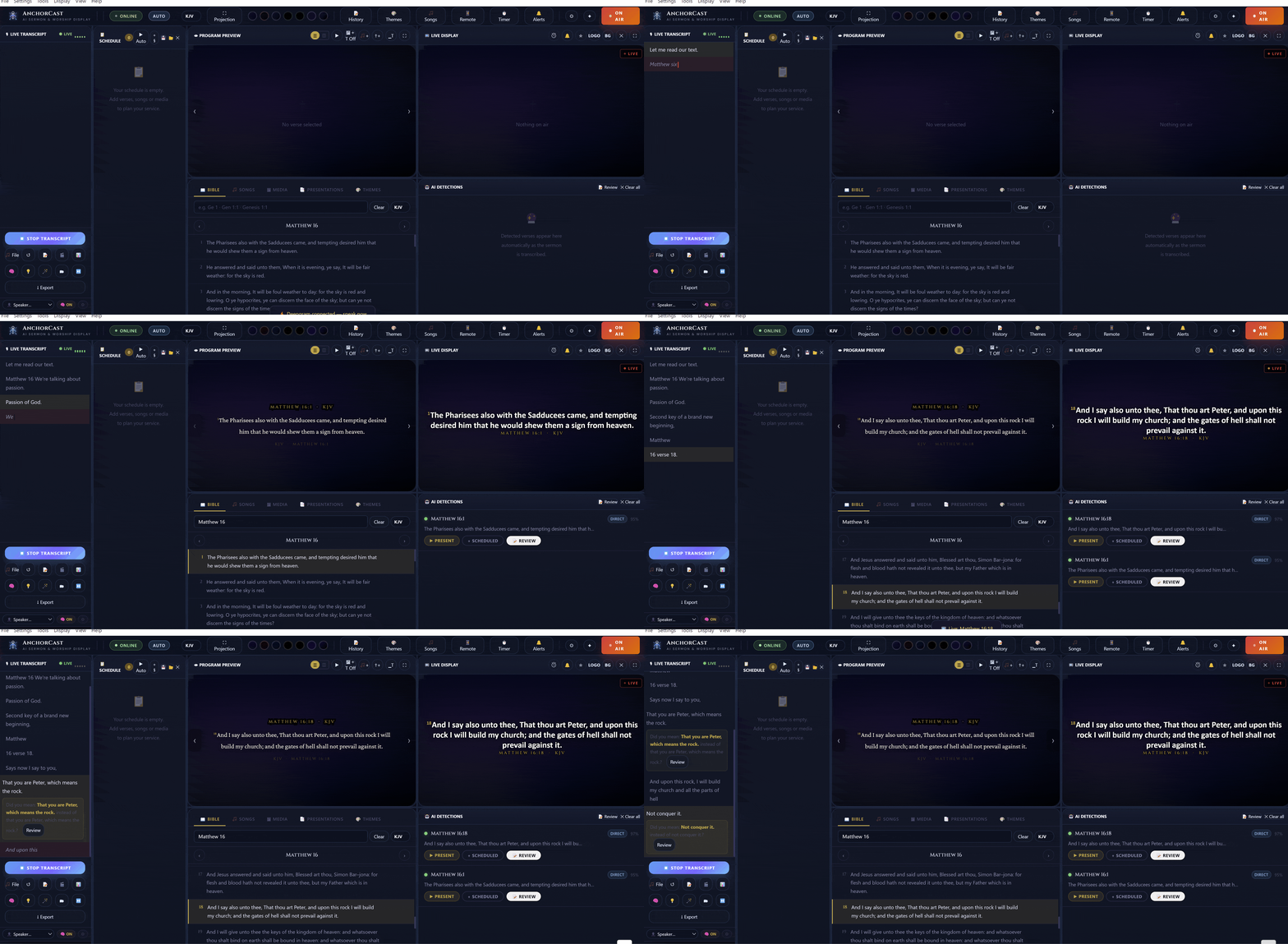
AnchorCast AI scripture detection
⏱ Countdown TimerStandalone
AnchorCast countdown timer synced to projection
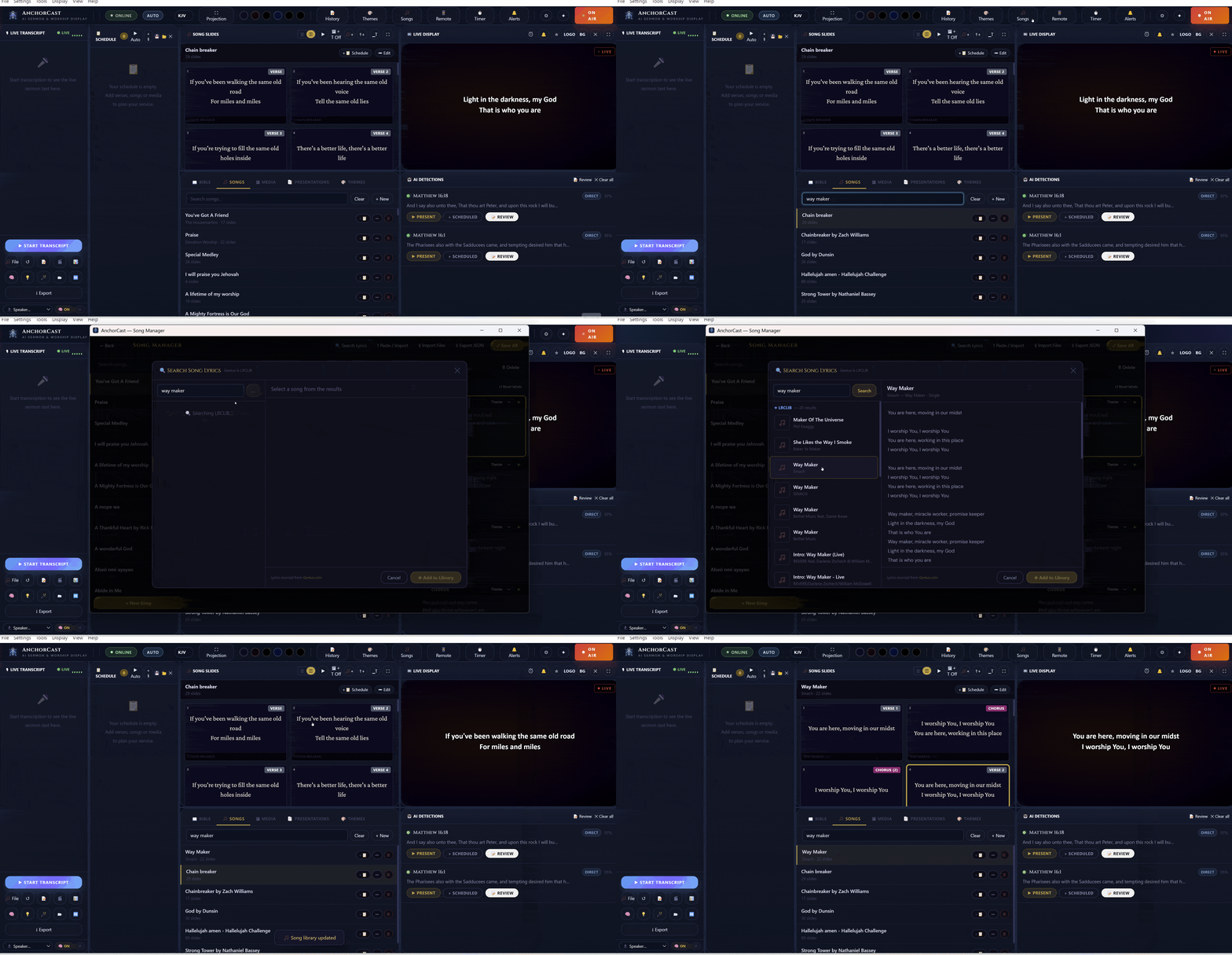
🎵 Songs & Lyrics ProjectionLive
AnchorCast song lyrics projection
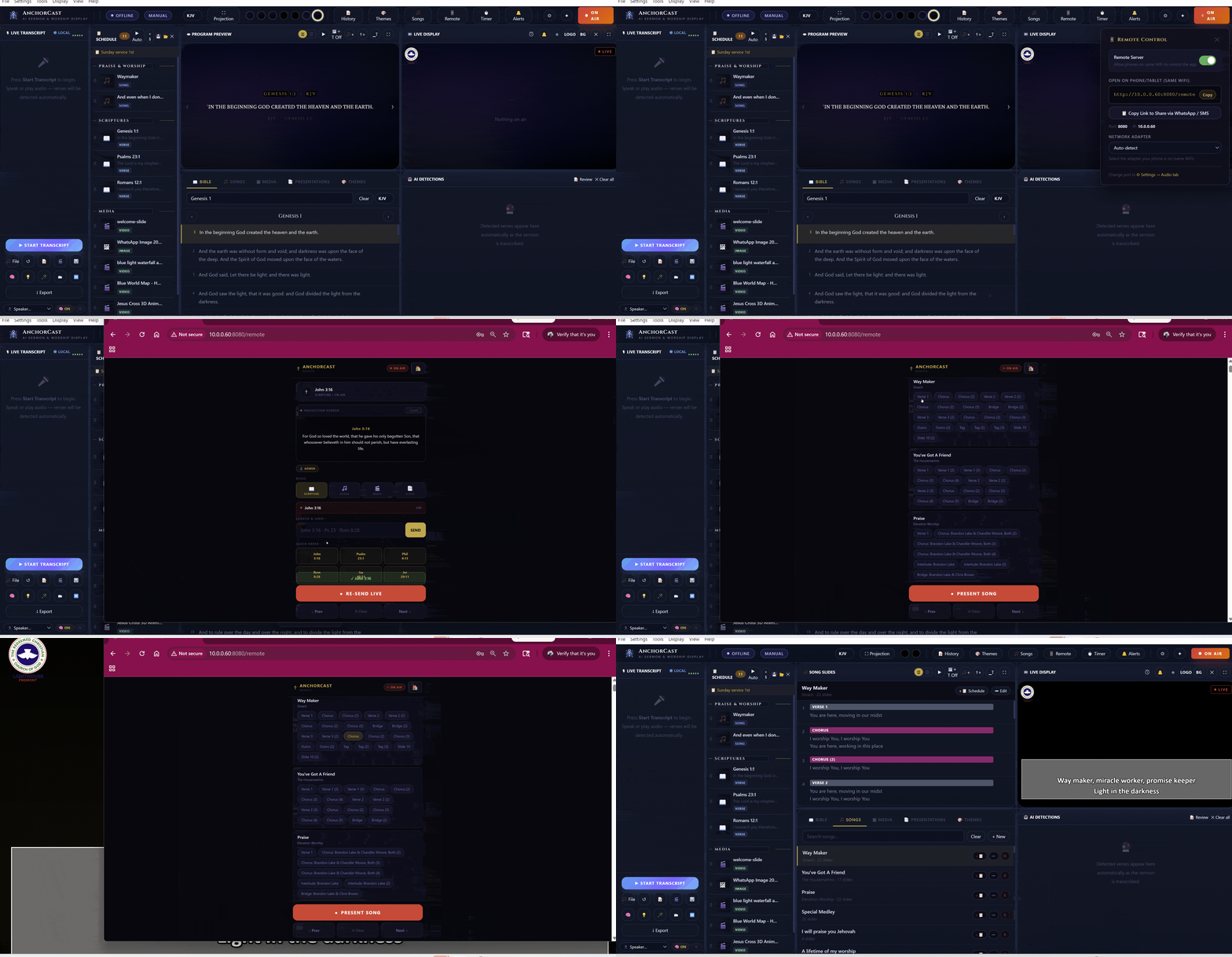
📱 Wi-Fi Remote ControlRemote
AnchorCast Wi-Fi remote control
App Screenshots

The Real Interface, Captured Live

Every panel from the actual AnchorCast desktop app.
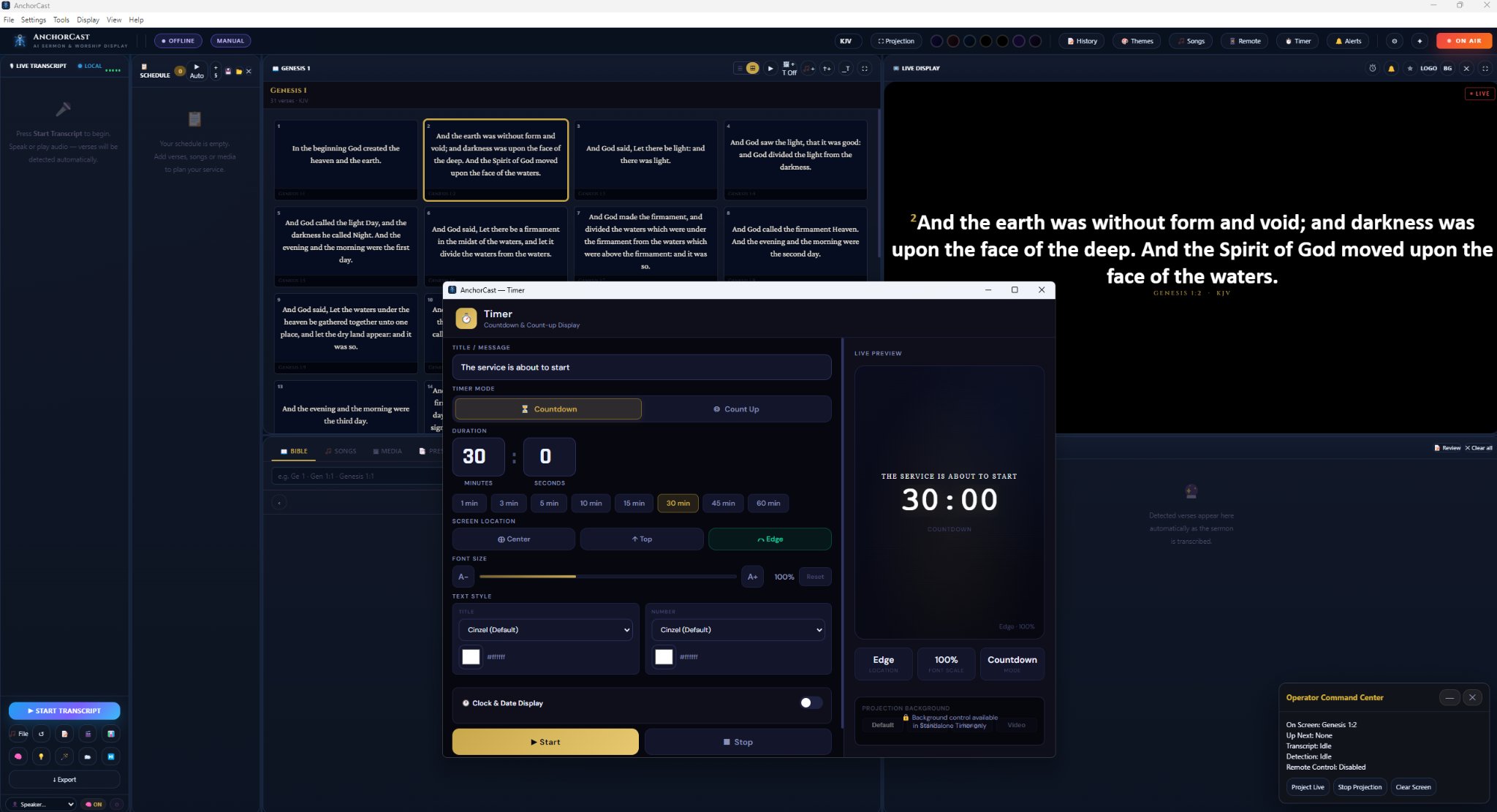
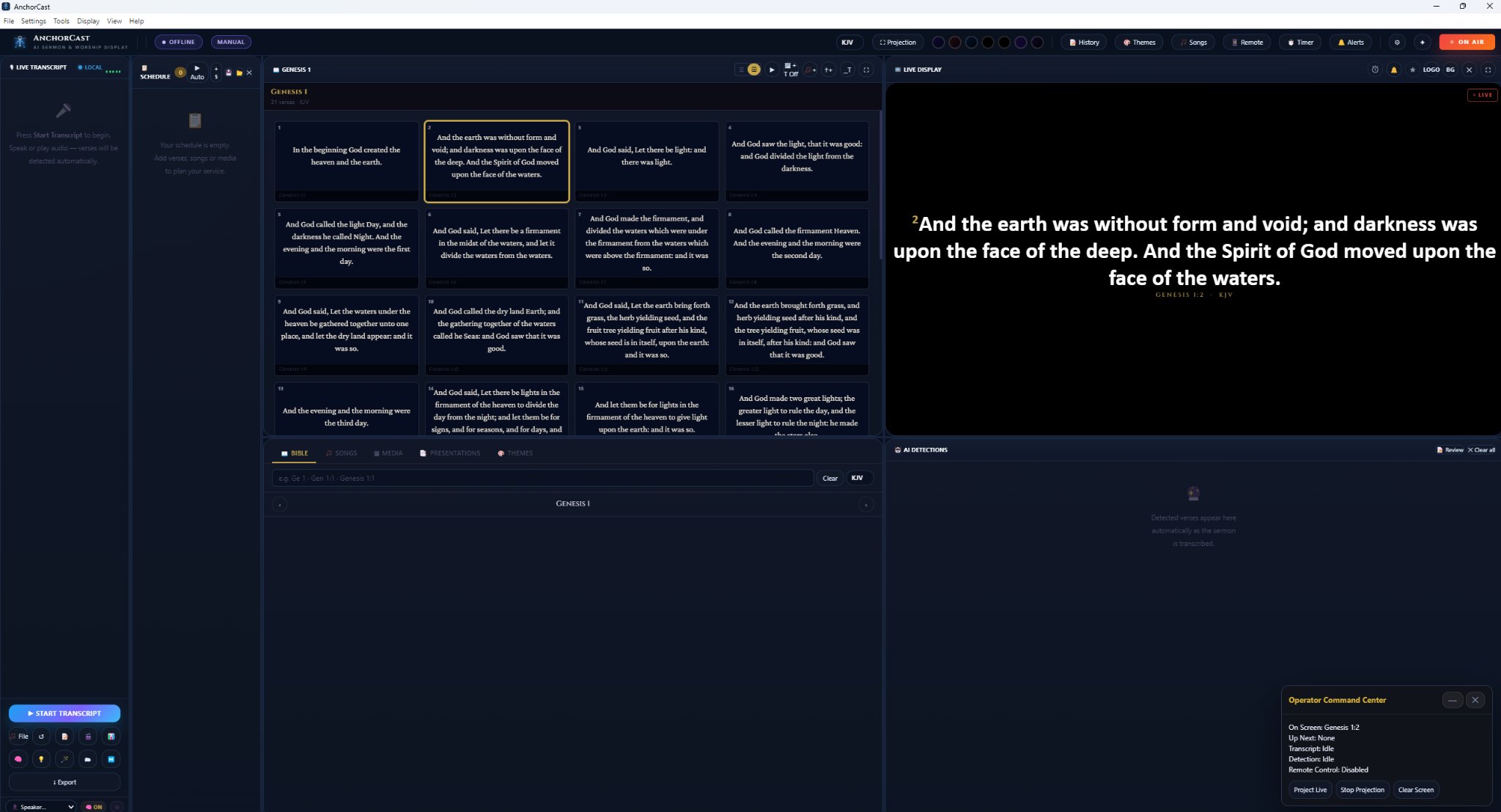
Main Operator Dashboard
AnchorCast main operator dashboard
4-Panel Operator Dashboard
Live Transcript on the far left, Service Schedule second, Program Preview in the centre, and Live Display on the right. The AI Detections panel shows Bible verses detected automatically in real time.
Timer Control Window
AnchorCast countdown timer
Countdown & Count-Up Timer
Set title, duration, font, color, and screen position. Live preview shows exactly what the congregation sees. Syncs instantly to the projection screen.
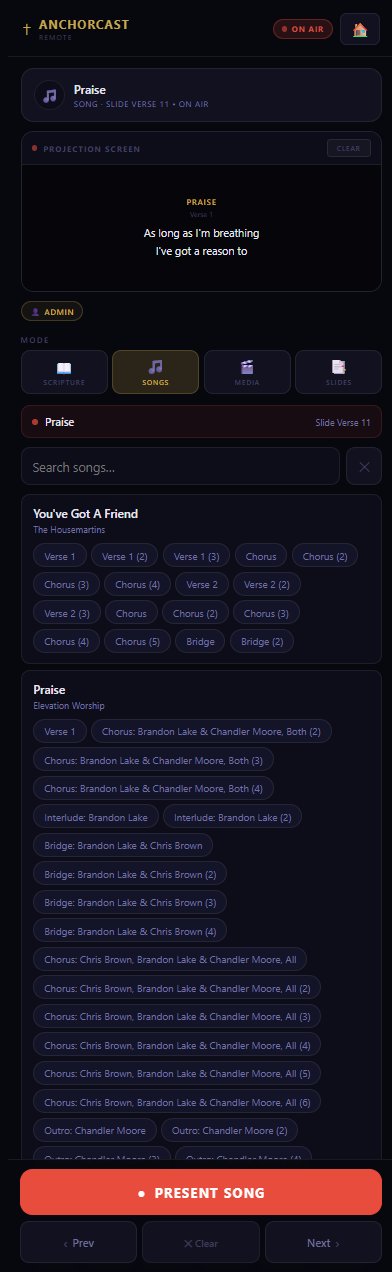
AnchorCast mobile remote
Wi-Fi Remote
Control from Any Phone
Open http://[your-ip]:5000/remote in any browser on the same Wi-Fi. Scripture, Songs, Media, and Slides mode tabs. Full Prev/Next/Clear/Present controls with PIN-based role access.
⬇ Download Free and Try It